Introduction
A new password protects the next sign-in. It does nothing about a sign-in that has already happened. When malware copies the token your browser holds after you log in, an attacker can enter the account without typing a password or a two-factor code. This guide shows what gets stolen, what a password change does and does not end, and the order of steps that closes the gap.
Quick answer
Changing your password does not always lock an attacker out because they may hold a stolen session token, the browser credential that proves you already signed in. Session hijacking replays that token, so no password is checked. To end it, clean the infected device first, then revoke account sessions and change the password.
Key takeaways
A copied session token lets an attacker skip the login screen entirely, because the website already trusts whoever presents it.
Infostealer malware copies tokens in seconds and often removes itself afterwards, so a clean scan does not prove the stolen sessions are gone.
Whether a password change ends open sessions depends on the service, so test sign-out on your important accounts instead of assuming it works.
Cleaning the device comes before any password change, because a stealer that is still running can copy the new password and any fresh session as well.
Email is the recovery key to most other accounts, so forwarding rules, recovery details and app access need checking after every sign-out.
The claim that Remus Stealer keeps Gmail access after a password change is unverified, which argues for a wider clean-up and not for skipping the password change.
Session hijacking explained: how a stolen cookie replaces your password
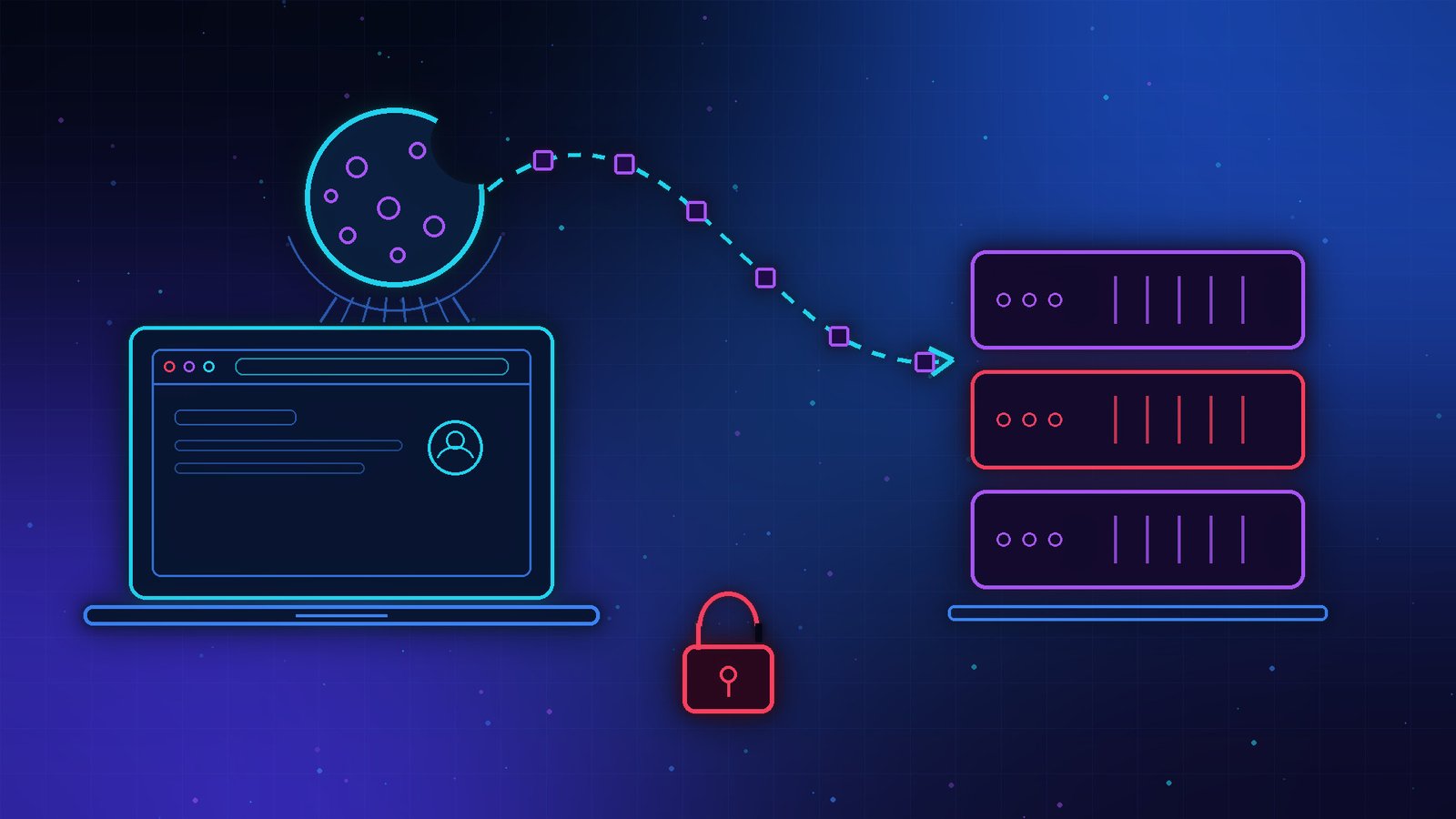
Session hijacking is an attack in which someone takes over a login that is already active by stealing the session token the website issued after sign-in. The server trusts whoever presents that token. No password is entered, so there is nothing for a login prompt or a password change to intercept.
What a session token is and why websites issue one
A session is the period during which a website remembers that you have proved who you are. After you sign in, the server creates a session and hands your browser a token, usually stored in a cookie, which the browser attaches to every later request. Without it, you would re-enter your password on every page.
The token is a bearer credential, meaning possession is the proof. Nobody has to guess a password to use it; the browser already did the logging in.
How infostealer malware takes the session
Infostealer malware is software that copies saved passwords, cookies, session tokens and similar data from an infected device and sends them to an attacker. It is sold as a service, and the stolen bundles, called logs, are resold. Infection usually relies on the victim running something themselves, such as a pirated program or a fake verification prompt that asks for a command to be pasted into a system window.
Many strains run in memory, finish in seconds and delete themselves, so a scan afterwards may find nothing, according to Sysdig’s infostealer guide. The same guide notes that buyers of stolen logs include ransomware operators, which is how one infected laptop turns into a wider incident. The ransomware prevention guide covers that later stage.
Malware is not the only route. A phishing page that relays a real sign-in, a script injected into a vulnerable website, or sniffing on an unencrypted network can also yield a token. Website owners therefore carry part of the fix. The phishing protection guide covers the phishing side.
Why does changing your password not lock the attacker out?
A password change updates the credential used to create new sessions. It does not automatically cancel sessions that already exist, and a stolen token belongs to an existing one. Whether a service also ends open sessions when the password changes depends on how it was built, so the outcome differs from account to account.
A password change closes the front door; a stolen session token is a key that was already cut.
What a password change ends and what it leaves open
Google’s Workspace Help documentation, last updated on 10 November 2026, says a password change revokes OAuth 2.0 access and refresh tokens for applications that use mail scopes, so a third-party mail app stops syncing until the user signs in again. Google’s documentation also lists exceptions: a change triggered from an Android device does not revoke that device’s account-sync token, and Gmail IMAP sessions authorised with OAuth stay valid until the access token expires, usually after 1 hour.
That documentation covers application tokens. Microsoft’s Entra documentation shows the other half from the administrator’s side: Entra ID can revoke refresh tokens, but it cannot directly revoke a session token that an application issued, so the application has to end that session under its own rules.
The practical rule is to treat a password change and session revocation as two separate actions, and to do both.
Three habits turn a recoverable theft into a lasting one.
- Changing the password on the infected computer, which lets a running stealer copy the new password.
- Signing out on the current device only, which leaves sessions on every other device untouched.
- Treating a clean scan as proof that no sessions were stolen, when the malware may already have deleted itself.
Avoiding all three costs nothing and keeps the later steps effective.
Why two-factor authentication does not help after the theft
Two-factor authentication checks you at the moment of sign-in. A stolen session token is issued after that check has passed, so replaying it does not trigger another prompt. Passkeys remove the password as a target, but Sysdig notes that a stolen cookie can sometimes bypass multi-factor authentication entirely, so a passkey lowers the risk without removing it. Keep two-factor authentication switched on anyway, because it still blocks sign-ins that rely on a leaked password alone.
How to revoke account sessions after an infostealer infection
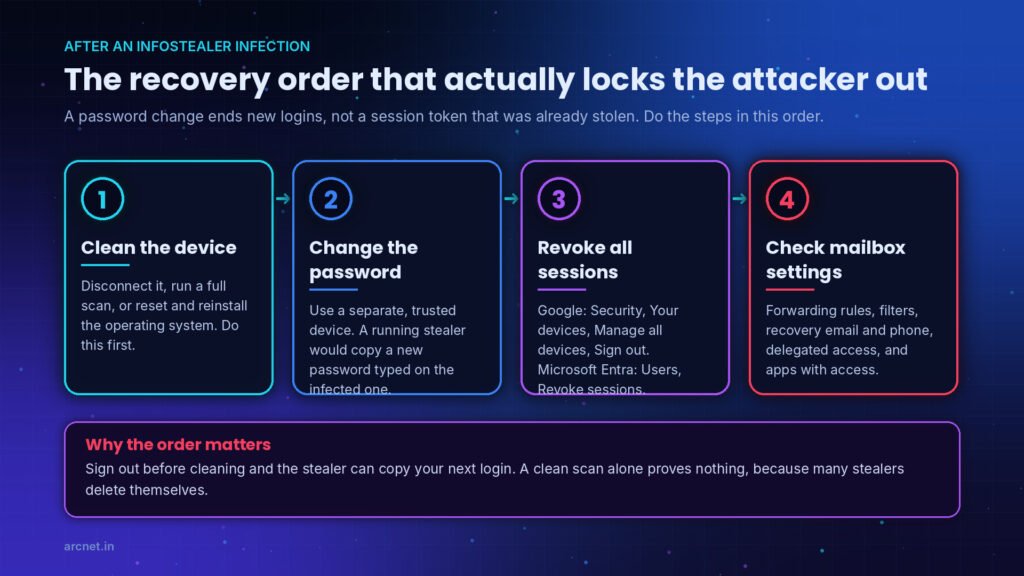
To revoke account sessions after an infostealer infection, clean the device first, then change the password and sign out every session from a separate trusted device. The order matters because a stealer that is still running can copy new passwords and fresh sessions, which makes every later step pointless.
Clean the device first
Malwarebytes’ write-up on the Remus claim gives the same sequence: use a separate trusted device, disconnect the suspect computer, remove the malware, and only then sign in again. Google also lists a reset with a fresh operating system as another option.
1. Disconnect the suspected computer from the internet.
2. Run a full scan with trusted security software.
3. If the scan is clean but doubt remains, reset the computer and reinstall its operating system.
4. Use a separate trusted device for every step that follows.
Until these four are done, any password typed on the affected machine should be treated as exposed.
Sign out of every session on a Google Account
Google documents the signed-in devices list on its devices help page. Work through these steps on the trusted device, changing the password first so that a stolen password cannot start a new session after you sign the old ones out.
1. Change the Google Account password.
2. Open your Google Account and select Security.
3. In the Your devices panel, select Manage all devices.
4. Select a device or session, then select Sign out, including entries that look familiar.
5. Confirm that the entry now shows the Signed out label.
6. Repeat for every session that shares the same device name, because Google says several sessions can sit under one name.
When every entry shows Signed out, sign back in on the trusted devices you actually use.
Pro tip: Find the signed-in devices page on your email, banking and work accounts before you need it, and test that signing out really ends access on a second device.
Revoke sessions for a Microsoft Entra work account
Administrators with the required role can do this in the Microsoft Entra admin center. The role list and the PowerShell route are in Microsoft’s documentation.
1. Sign in to the Microsoft Entra admin center with an account that has the required role.
2. Browse to Entra ID, then Users, then All users, and select the user.
3. On the user’s Overview page, select Revoke sessions.
After revocation the user cannot gain new tokens, and Microsoft says applications that use their own session tokens end sessions according to their own policies, so check each business app’s security page too.
Two signs the clean-up did not hold
Two signs show that the clean-up did not hold.
1. New unfamiliar sessions appear after you sign out, which suggests the device is still infected or another device is.
2. A signed-in app keeps working after revocation, which usually means it holds its own session token and needs signing out inside the app.
In either case, go back to the device clean-up before repeating the sign-out.
What to check after you revoke account sessions
A mailbox is the recovery route for many other accounts, so an attacker with brief access can leave settings behind that outlast every session. Malwarebytes lists the places to look.
1. Forwarding addresses and filters that send mail elsewhere or hide messages.
2. Delegated mailbox access and remote mail access settings.
3. Recovery email address, recovery phone number and verification methods.
4. Apps and services that have access to the account.
5. Other accounts that use this mailbox to sign in or reset passwords, especially if unfamiliar verification or reset messages arrived.
Remove anything you did not set up yourself, then reload each settings page to confirm the change stuck.
Does the Remus Stealer claim change this advice?
Not yet. The sellers of Remus Stealer claim a mailbox-reading feature that survives password changes and session revocation, but Hudson Rock, the firm that reported the claim, did not verify it.
According to Malwarebytes’ summary of the report, published on 11 November 2026, the Remus version 1.3.9 announcement advertises a feature that opens a compromised Gmail mailbox from the seller’s dashboard. It also claims that password changes and session revocation do not stop access, and that verification codes can be intercepted without collecting browser cookie files.
The evidence is thin. The developer said the feature interacts with browser memory and withheld technical details. One self-described customer said access continued after a browser closure, a session reset and a Google password change, but the report notes that the source’s independence was not established and no controlled test was run. Hudson Rock states that its report includes neither reverse engineering of the feature nor controlled validation after recovery.
Google told Inc. that no Gmail or Google vulnerability is involved and that infostealers targeting session tokens on personal devices are not new. Malwarebytes also points to Google’s documentation that password changes ordinarily invalidate OAuth tokens, so token theft alone does not establish the claimed persistence.
Until independent testing says otherwise, treat the claim as a seller’s marketing statement. The sensible response costs little: complete the clean-up above, check mailbox settings, and watch the signed-in devices list for sessions that return.
What actually stops session theft, and what only limits it?
No single action stops session theft. A password change deals with the old password, session revocation deals with a stolen token, and device cleaning deals with the malware that took both. The table compares what each action covers, for a service that offers all three.
| Action | Handles the old password | Handles a stolen session | Handles the next theft |
| Change password | Yes | Only if the service ends open sessions | No |
| Revoke all sessions | No | Yes, for sessions the service can revoke | No |
| Clean the device | No | No | Yes, for that infection |
| Passkey sign-in | Removes the password | No | No |
Before an infection, passkeys and short sessions reduce the damage. After one, device cleaning and revocation come first, then the password, in the same sitting.
Where browsers and websites are catching up
SecurityWeek’s report on the rollout says Google’s Device Bound Session Credentials became available in Chrome 146 for Windows on 10 April 2026. The feature ties a session to a key held in the device’s secure hardware, so cookies copied off the machine soon stop working. Google’s reasoning, as SecurityWeek quotes it, is that software alone cannot reliably stop cookie theft once malware controls a machine.
Websites must adopt the feature, and it only blocks replay from another device, so it adds a layer without replacing the clean-up steps above.
Website and app owners control the other half of the fix.
1. End all other sessions when a user changes or resets a password.
2. Show a list of active sessions with a sign-out control for each.
3. Use short idle and absolute session lifetimes so a stolen token expires.
4. Issue a fresh session identifier after sign-in and after any privilege change.
5. Offer device-bound sessions where browsers support them.
Each item shrinks the window in which a copied token is worth anything.
Sessions are also the weak point wherever software acts for you while you are signed in. AI agents that carry out tasks on your behalf raise the same question, covered in the guide to agentic AI security risks.
Where to start tonight
Treat a stolen session as a separate problem from a stolen password, and work through the clean-up in order: device, sessions, password, then mailbox settings. Session hijacking explained in one line: the token was the key that got copied, so the password was never tested. If infostealer malware has touched a computer you use, revoke account sessions on your email and work accounts before anything else, from a device you trust. Start with one concrete check today: open your main email account’s signed-in devices page and sign out anything you do not recognise.
Frequently asked questions
How can I tell if someone is using my session?
Check the signed-in devices page of the account. Google’s help page lists signs such as a device you do not recognise, a location where you were not at the time, a browser different from your usual one, and activity at times you do not remember. Sign out of anything doubtful, then follow the clean-up order in this guide.
Is session hijacking the same as session spoofing?
No. Hijacking takes over a legitimate session that is already active, so the real user may notice odd behaviour. Spoofing starts a new session as the user without disturbing the real one, according to Okta’s explainer. Both end with an attacker acting as the user, and both are handled by ending sessions and finding how the token or identity was obtained.
How long does a stolen session token keep working?
It keeps working until the service expires or revokes it. The length depends on the service’s idle timeout, its absolute lifetime and whether a password change or sign-out cancels it. Microsoft states that Entra access tokens last 1 hour by default, while apps with their own session tokens follow their own rules. Check each service’s session settings.
Does antivirus stop infostealer malware?
It helps but cannot be relied on alone. Sysdig’s guide explains that many infostealers run in memory, use obfuscation and delete themselves within seconds, so a scan run afterwards can find nothing. Run a scan, then treat the incident as an account problem as well: sign out of sessions and change passwords from a trusted device.