Introduction
A ransomware attack can lock every file on a network in minutes, and by the time the ransom note appears, the damage is usually already done. This guide explains how these attacks actually unfold, the specific defenses that stop them at each stage, and the backup strategy that keeps a business recoverable even when every other control fails. It also covers the question most articles avoid: what to do if you get hit anyway, and whether paying is ever the right call.
Ransomware prevention combines patched systems, phishing-resistant multi-factor authentication, restricted user privileges, and layered malware attack protection with backups that ransomware cannot reach. No single control stops every attack, so the practical goal is to make each stage access, spread, and encryption harder, while keeping at least one backup copy immutable and offline.
Layered defenses work better than one tool: patched software, phishing-resistant MFA, and restricted admin rights each close a different entry point attackers use.
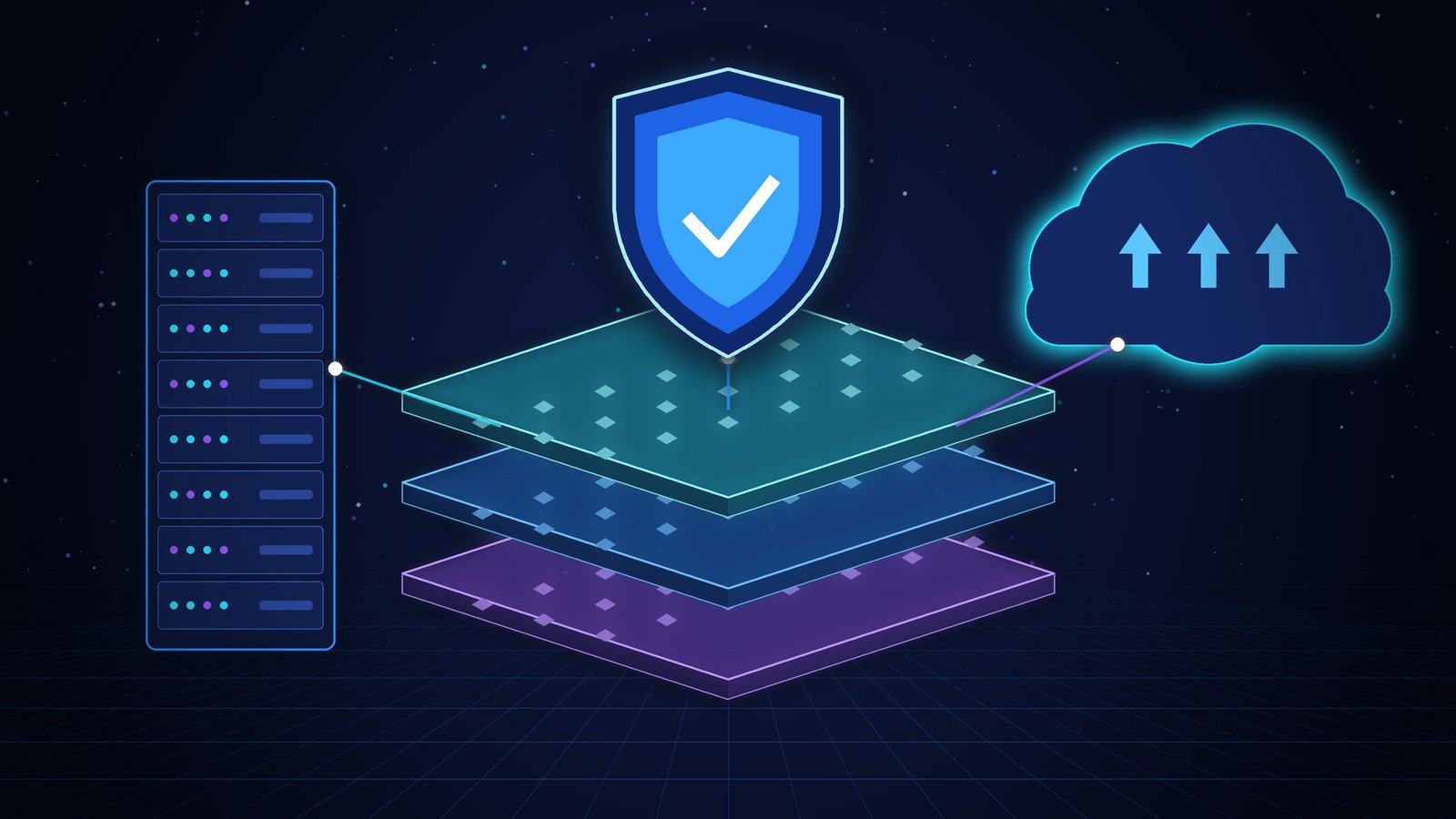
A backup only protects against ransomware if attackers cannot reach or delete it, which is why at least one copy needs to be offline, air-gapped, or immutable.
Most attacks still start with phishing or an exposed remote-access service, so training people to spot suspicious emails and closing open RDP ports prevents more incidents than any single security product.
Ransomware groups routinely search for and disable backup software before encrypting production data, so a backup strategy that was safe five years ago may no longer be enough on its own.
Paying does not guarantee file recovery: most organizations that get hit now refuse to pay and rely on backups and free decryption tools instead.
What Is Ransomware?
Ransomware is malware that blocks access to files, devices, or entire networks usually by encrypting them until the victim pays a ransom, typically demanded in cryptocurrency. Modern ransomware frequently adds a second threat: attackers copy sensitive data before encrypting it and threaten to publish it if payment is not made, a tactic known as double extortion.
Security researchers group ransomware into two broad types. Crypto ransomware, the more common form today, encrypts files in place and leaves the operating system usable so the victim can see and pay the ransom note. Locker ransomware instead blocks access to the device itself, displaying a full-screen lock screen with no way to reach the desktop. A growing share of attacks now run as Ransomware-as-a-Service (RaaS), a model where the malware’s developers lease their tools to affiliates who carry out the actual attacks and split the ransom. RaaS is one reason ransomware has spread to attackers with limited technical skill of their own.
The single most useful thing to understand about ransomware is that it rarely fails at the encryption stage it fails, or succeeds, at the access stage, days or weeks earlier.
How Does a Ransomware Attack Actually Unfold?
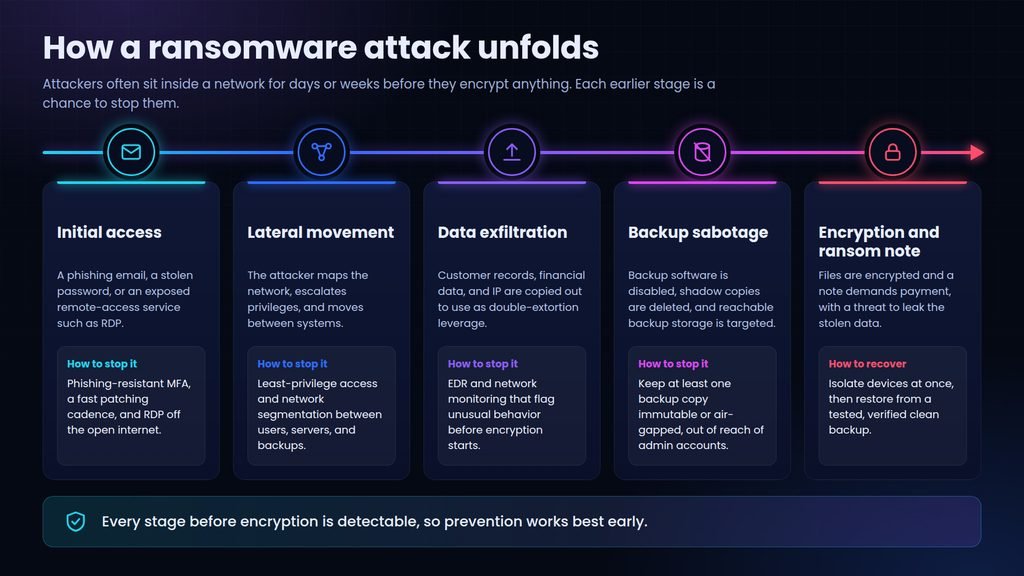
A ransomware attack moves through four stages: gaining initial access, spreading across the network to find valuable data, exfiltrating that data, and finally encrypting files and demanding payment. Attackers typically spend days to weeks inside a network before triggering encryption, which is why the earliest stages offer the best chance to stop an attack before it causes damage.
Most ransomware incidents follow a recognizable sequence, even though the specific tools vary between attacker groups.
- Initial access. The attacker gets in through a phishing email, a stolen or guessed credential, or an internet-exposed remote-access service such as RDP.
- Reconnaissance and lateral movement. The attacker maps the network, escalates privileges, and moves between systems, often by compromising a domain controller.
- Data exfiltration. Valuable files customer records, financial data, intellectual property are copied to the attacker’s own servers to use as double-extortion leverage.
- Backup and recovery sabotage. Before encrypting production data, many ransomware families search for and disable backup software, delete shadow copies, and target any backup storage reachable with the credentials they already hold.
- Encryption and ransom note. Files across accessible systems are encrypted, and a note demanding payment with a deadline and a threat to leak stolen data appears on screen.
- Every stage before encryption is detectable with the right monitoring, which is why prevention focused only on the final step arrives too late to matter.
The Most Common Ways Ransomware Gets In
Ransomware needs an entry point, and the same handful of vectors account for most successful attacks. Closing these specifically does more to reduce risk than any general-purpose security tool.
- Phishing emails. A malicious attachment or link delivers the ransomware directly, or harvests credentials the attacker uses later.
- Exposed remote access. Internet-facing RDP or VPN services with weak or reused passwords are scanned for and brute-forced constantly.
- Unpatched software vulnerabilities. Attackers exploit known flaws in operating systems, VPN appliances, and internet-facing applications before organizations patch them.
- Compromised credentials. Passwords reused across services, leaked in earlier breaches, or obtained through social engineering give attackers a direct route in.
- Malicious downloads and drive-by attacks. Compromised or malicious websites deliver ransomware without any file being knowingly opened.
- Third-party and supply chain compromise. A trusted vendor, managed service provider, or software update channel is compromised and used to reach many victims at once.
None of these vectors requires sophisticated tooling to close patching, MFA, and access restrictions cover most of the list, which is why they anchor the defenses below.
Ransomware Prevention: The Core Defenses You Need
Ransomware prevention is a set of layered controls, each aimed at a different stage of the attack chain described above, rather than any single product. Treat these as layered malware attack protection: each layer exists to catch what the layer before it missed.
- Phishing-resistant MFA everywhere. Standard MFA is far better than a password alone, but SMS codes and app-based push approvals can be defeated by SIM swapping or “MFA fatigue” attacks that flood a user with approval requests. Phishing-resistant methods security keys or platform passkeys close that gap, especially on email, VPN, and admin accounts.
- A real patching cadence. Set a maximum time-to-patch for internet-facing systems and enforce it; most exploited vulnerabilities used in ransomware attacks already had a patch available.
- Least-privilege access. Standard users should not have local admin rights, and admin accounts should not also be used for email and browsing this alone blocks a large share of lateral movement.
- Network segmentation. Separate user, server, and backup networks so a compromised laptop cannot reach backup infrastructure directly.
- Endpoint detection and response (EDR). Behavior-based detection catches ransomware that signature-based antivirus alone misses, particularly during the reconnaissance stage.
- Email and web filtering. Block known-malicious attachments, links, and domains before they reach a user’s inbox or browser.
- Close or lock down remote access. Take RDP off the open internet entirely where possible, and require MFA plus a VPN for any remote access that remains.
- Ongoing security awareness training. Short, recurring phishing simulations change behavior more than an annual slideshow does.
If a team can only fund one control this year, network segmentation is the one worth the argument: it does not stop the initial infection, but it is what determines whether an attack stays on one laptop or reaches the entire company.
Data Backup and Recovery: Your Last Line of Ransomware Defense
A tested, isolated backup is what turns a ransomware attack from a catastrophe into an inconvenience, but only if the backup itself is out of the attacker’s reach. Standard backups even offsite ones are not automatically safe from ransomware, because attackers who gain admin credentials can often reach and destroy them along with the production data.
This is where the classic 3-2-1 backup rule – three copies of data, on two different media types, with one copy offsite, credited to photographer Peter Krogh in the mid-2000s falls short against ransomware on its own. It was designed for hardware failure and disaster recovery, not for an attacker holding valid credentials who can reach every network-connected copy. The practical fix is an extra layer: at least one backup copy that is immutable or air-gapped, meaning it cannot be altered or deleted by anyone, including a compromised administrator account, for a set retention period.
| Backup type | Reachable with stolen admin credentials? | Typical recovery speed | What it actually protects against |
| Continuous cloud sync (e.g. OneDrive, Google Drive) | Yes, encrypted or deleted files sync to every copy | Fast, but unreliable | Accidental deletion, single-device loss |
| Offsite backup with standard credentials | Yes, reachable by an attacker who compromises the admin account | Moderate | Hardware failure, site-level disaster |
| Immutable or air-gapped backup | No, cannot be altered or deleted within the retention window | Slower to restore | Ransomware, insider sabotage, admin account compromise |
The trade-off is real: immutable and air-gapped storage costs more and restores more slowly than a live cloud sync. For a small business handling customer data, cloud object storage with immutability (object lock) enabled is usually the pragmatic choice; for regulated industries or critical infrastructure, a genuinely offline or air-gapped copy is worth the extra recovery time. Whichever you choose, an unverified backup is not a backup schedule regular restore tests, ideally to an isolated environment, so the first time you find out a backup is corrupted is not during an actual attack.
Should You Pay the Ransom?
Law enforcement agencies recommend against paying a ransomware demand, because payment does not guarantee a working decryption key and directly funds further attacks. That advice is increasingly what victims actually do: the 2026 Verizon Data Breach Investigations Report found 69 percent of ransomware victims refused to pay, and the median payment among those who did fell to $139,875, down from $150,000 the year before, according to the Verizon 2026 Data Breach Investigations Report (checked 25 September 2026).
In practice, the decision rests on a handful of concrete factors rather than a blanket rule.
- Do you have a clean, tested backup? If restore works, paying rarely makes sense.
- Has stolen data already been leaked or proven? Paying does not remove a copy the attacker has already taken and may have sold.
- What do your legal and regulatory obligations require? Some jurisdictions and sectors require reporting a breach regardless of whether a ransom is paid.
- What does your cyber insurance policy say? Some policies dictate the incident-response firm and negotiation process, and some regions restrict or ban ransom payments outright.
- What does law enforcement in your country advise for this specific incident? Guidance and reporting requirements differ by region, so check the current position for your jurisdiction rather than assuming.
The strongest reason to keep the option of not paying open is preparation done months earlier, not a judgment call made during the incident itself.
What to Do If You’re Already Infected
If ransomware is actively encrypting files, the first hour determines how much damage spreads and how recoverable the situation is. Act in this order.
- Isolate affected devices immediately. Disconnect them from the network and Wi-Fi, but avoid powering them off shutting down can destroy evidence and memory-resident information that helps identify the ransomware strain.
- Identify the ransomware strain. Note the ransom note’s exact wording and the file extension added to encrypted files; this identifies which ransomware family you’re dealing with.
- Report the incident. Report to the relevant authority for your region for example the FBI’s Internet Crime Complaint Center in the United States, or the National Cyber Security Centre in the United Kingdom before taking further action.
- Check for a free decryption tool. The No More Ransom project, a joint initiative between Europol, national police forces, and cybersecurity vendors, publishes free decryptors for known ransomware strains and lets you identify a strain from its ransom note.
- Restore from a verified clean backup. Restore to an isolated environment first and confirm the data is genuinely clean before reconnecting anything to the production network a backup taken during the attacker’s dwell time can already be compromised.
- Close the entry vector before reconnecting. Reset every credential the attacker may have touched and patch or remove whatever let them in, or the same access point will be used again within days.
The two most common recovery failures are restoring a backup that was already silently compromised during the attacker’s weeks-long dwell time, and reconnecting systems before the original entry point is actually closed both turn a single incident into a repeat one. For a step-by-step incident response checklist, see the CISA #StopRansomware Guide, co-authored with the FBI and NSA.
Common Mistakes That Undermine Ransomware Defenses
A few recurring mistakes undermine otherwise reasonable ransomware prevention programs. Watching for these closes gaps that a checklist alone will not catch.
- Assuming a backup works because it runs on schedule. An untested backup is a guess, not a plan.
- Relying on antivirus alone. Signature-based antivirus misses novel ransomware variants; behavior-based EDR catches what signatures cannot.
- Using SMS-based MFA as the only second factor. It stops basic credential stuffing but not SIM-swapping or MFA-fatigue attacks aimed at admin accounts.
- Leaving RDP open to the internet “temporarily.” Exposed RDP is scanned and attacked within hours of being opened, not eventually.
- Having no rehearsed incident response plan. A plan that exists only as a document, never practiced, slows the first hour of response when speed matters most.
Each of these is inexpensive to fix compared with the cost of the mistake which is exactly why they persist: none of them causes a visible problem until the day an attack tests them.
Conclusion
The fastest way to reduce ransomware risk is not a single tool but the order in which you fix things: close the access points attackers rely on first, then make sure a copy of your data sits somewhere ransomware cannot reach. Ransomware prevention improves measurably once phishing-resistant MFA and an immutable backup are both in place, because together they remove the two failure points attackers rely on most especially once data backup routines are actually tested rather than assumed to work. If you manage a small team, start this week by restoring your most recent backup to a test environment and confirming it works; that single check reveals more about your real risk than a full audit would.
Frequently Asked Questions
Can you remove ransomware without paying the ransom?
Yes. Isolate the infected systems, identify the ransomware strain, and check whether a free decryptor already exists through a resource such as the No More Ransom project. If no decryptor exists, restoring from a clean, verified backup after wiping and reimaging the affected systems is the standard non-payment recovery path.
Does antivirus software stop ransomware?
Traditional signature-based antivirus catches known ransomware variants but frequently misses new or modified ones. Behavior-based endpoint detection and response (EDR) tools, which flag suspicious file-encryption activity as it happens rather than matching known signatures, provide meaningfully stronger protection against ransomware specifically.
Can ransomware infect cloud storage and backups?
Yes, if the backup is reachable using credentials the attacker has compromised this includes many cloud-sync folders and standard offsite backups. Backups protected by immutability (object lock) or genuine air-gapping cannot be altered or deleted by an attacker, even one holding valid admin credentials, during the retention period.
How long does it take to recover from a ransomware attack?
Recovery time depends heavily on backup readiness: organizations with tested, immutable backups often restore core systems within days, while those without a working backup can take weeks or months rebuilding systems from scratch, negotiating, or waiting on a decryptor. Investigation, credential resets, and confirming the entry vector is closed extend the timeline in both cases.
Can a phone or tablet get ransomware?
Mobile ransomware exists, typically arriving through apps installed outside official app stores rather than through phishing emails. It’s far less common than ransomware targeting PCs, servers, and corporate networks, but the same basic prevention install apps only from official stores, keep the OS updated, and avoid granting unnecessary app permissions reduces the risk.
Is it possible to trace and prosecute ransomware attackers?
Sometimes. International law enforcement collaboration, such as joint operations between Europol and national police forces, has led to arrests and infrastructure takedowns for several ransomware groups. Attribution and prosecution remain difficult overall, though, since many operators are based in jurisdictions with limited extradition cooperation.