Introduction
Every laptop on a shop shelf now carries an AI badge, and the badge usually points to one component: the neural processing unit, or NPU. The label bundles three different ideas, a marketing definition, a Microsoft hardware bar and a real chip, and buyers are left to work out which one they are paying for. This guide separates them using Intel’s and Microsoft’s own documentation and Gartner’s February 2026 market forecast, rather than spec-sheet slogans. It also covers two changes older explainers miss: the retiring Copilot+ PC name and the memory shortage that is raising laptop prices. By the end you will know what an NPU does, what it cannot do, and whether your next laptop needs one.
Quick answer
An AI PC is a laptop or desktop whose processor includes a neural processing unit (NPU) next to the CPU and GPU, so certain AI tasks run on the device instead of in the cloud. You need one only for specific on-device features. Cloud-based chatbots and image tools still work on any current PC.
Key takeaways
Intel defines an AI PC as a machine with a CPU, a GPU and an NPU, while Microsoft’s Copilot+ bar, per its Windows 11 specifications page, adds an NPU rated at 40 TOPS or more, 16 GB of RAM and 256 GB of storage, so the label means little until you ask whose definition applies.
Microsoft is retiring the Copilot+ PC name but keeping the hardware bar behind it, according to Windows Central’s September 2026 interview with Microsoft’s Surface vice president, so the spec sheet now matters more than the badge.
Microsoft’s Windows ML documentation assigns the NPU to battery-efficient, sustained AI work and the GPU to high-throughput work, so large local models favour a strong GPU and plenty of memory over a bigger NPU.
Compare NPU-only ratings, because Intel’s Panther Lake announcement quotes up to 180 platform TOPS across the CPU, GPU and NPU, and that total is not the NPU’s own rating.
Memory now drives the price: Gartner’s February 2026 forecast expects DRAM and SSD prices to rise 130 percent by the end of 2026 and PC prices to rise 17 percent against 2025, so the RAM you choose matters more than the NPU badge.
If your current laptop still gets security updates and does your work, waiting costs little because cloud AI runs on it today; if you must buy, treat the NPU as a bonus and choose on RAM, battery life and CPU first.
What is an AI PC, and who gets to define it?
An AI PC is a computer with dedicated hardware for running AI workloads locally. Intel’s support documentation defines it as a machine with a CPU, a GPU and an NPU that handle AI tasks on the device more efficiently. No standards body owns the term, so each vendor’s version reflects what it sells.
Microsoft sets a stricter bar for what it calls Copilot+ PCs. Its Windows 11 specifications page requires a processor with an NPU capable of 40 or more TOPS, short for trillions of operations per second, plus 16 GB of DDR5 or LPDDR5 memory and 256 GB of SSD or UFS storage. The page names the AMD Ryzen AI 300 and 400 series, the Intel Core Ultra 200V and 300V series and the Qualcomm Snapdragon X series as meeting the processor requirement.
The bar has a catch that few guides mention. The same page says some Windows 11 PCs ship with an NPU of 40 or more TOPS but with less than 16 GB of RAM or smaller storage, and those are not Copilot+ PCs. They can still run compatible apps’ AI workloads locally, but features such as improved Windows search and Click to Do need a PC that meets every requirement.
The Copilot+ name is fading, but the hardware bar is not
According to Windows Central’s interview report of 24 September 2026, Microsoft’s Surface vice president confirmed that the company’s newest Surface PCs are not called Copilot+ PCs even though they meet the earlier requirements. Qualcomm’s compute chief told the same outlet that vendors will probably offer the same experiences without the term.
For a buyer, the badge is no longer a reliable shortcut. Ask for the NPU rating, the RAM and the storage instead, and check them against the specification Microsoft still publishes.
NPU explained: what the chip does and how it differs from a CPU or GPU
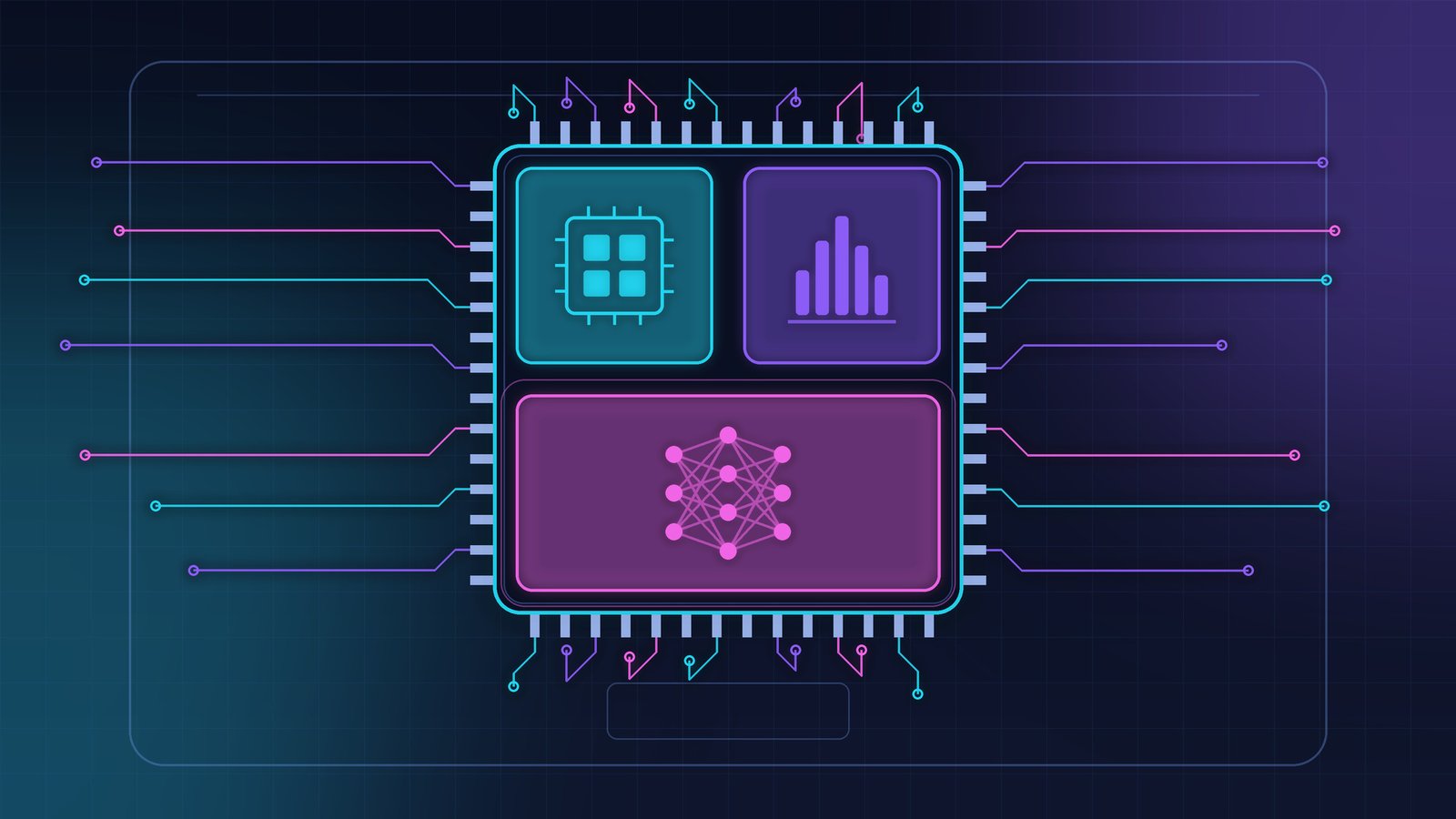
An NPU, or neural processing unit, is a processor block built to run the matrix math behind machine learning at low power. Microsoft says an NPU uses less power than the CPU or GPU for AI tasks, which lets features run in the background without noticeably affecting battery life or heat.
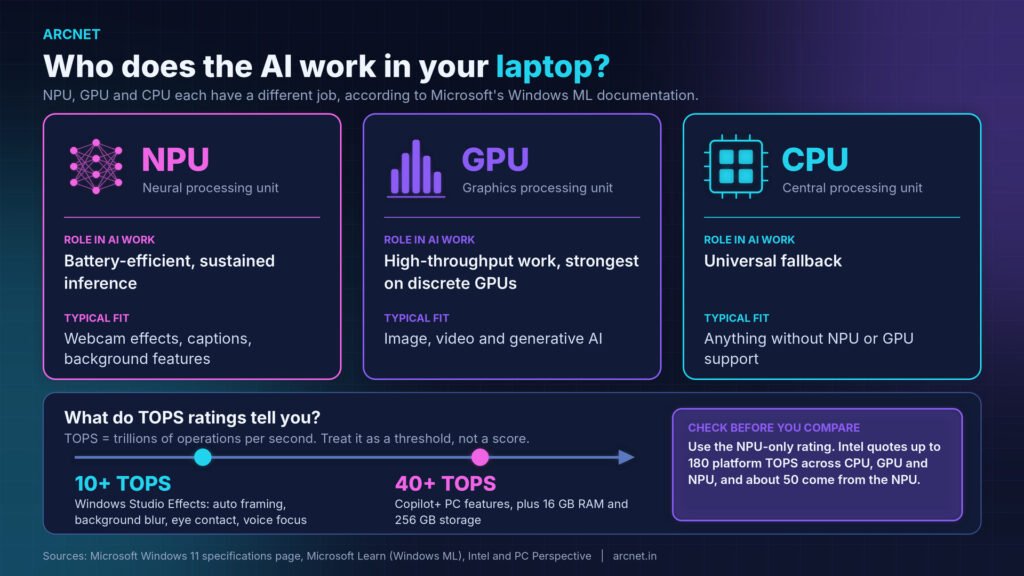
Microsoft’s Windows ML documentation on Microsoft Learn gives each processor a different job in AI work:
| Processor | Role in AI work | Typical fit |
| NPU | Battery-efficient, sustained inference | Webcam effects, captions, background features |
| GPU | High-throughput work, strongest on discrete GPUs | Image, video and generative AI |
| CPU | Universal fallback | Anything without NPU or GPU support |
A video call shows the split. Microsoft says the Windows Studio Effects for automatic framing, background blur, eye contact and voice focus run on Windows 11 devices with an NPU rated at 10 or more TOPS, so a webcam effect does not need the 40 TOPS Copilot+ bar. In practice, the NPU is the right place for steady background work on a laptop running on battery, the GPU is the right place for heavy generation, and the CPU only steps in when neither is available.
What does TOPS mean, and how many do you need?
TOPS means trillions of operations per second, a peak-throughput rating for AI math. It works as a threshold rather than a score: Microsoft’s specifications page ties Copilot+ features to an NPU of 40 TOPS or more and Windows Studio Effects to 10 TOPS or more.
Check these three points before you compare two TOPS figures:
- NPU-only or platform total: Intel’s Panther Lake announcement quotes up to 180 platform TOPS, and PC Perspective reports that 50 of them come from the NPU.
- Software support: each app has to add NPU support before the NPU does any work for it.
- The RAM and storage floor: an NPU rating alone does not make a laptop a Copilot+ PC under Microsoft’s rules.
A TOPS figure tells you how fast an NPU can run the work it is given; it says nothing about whether your software gives it any.
What can an NPU do for you today?
Today an NPU mainly powers Windows features that run in the background, such as Live Captions, webcam effects, improved Windows search and Click to Do. Microsoft’s specifications page lists these as Copilot+ features and states that availability varies by region, language and device.
The details differ by region and chip. Live Captions translates audio from more than 40 languages into English, according to Microsoft’s page, while improved Windows search is optimised for English, Simplified Chinese, French, German, Japanese and Spanish. Some tools, including Paint generative fill and Photos relight, are listed only for Snapdragon X series processors, and some Click to Do actions need a subscription.
On-device is not the same as private
Microsoft’s FAQ says an NPU can help reduce how often personal information needs to leave the PC, which is a benefit, not a guarantee. Recall, the feature that saves searchable snapshots of screen activity, is still labelled a preview on Microsoft’s page and requires Windows Hello Enhanced Sign-in Security. Open Settings, then Privacy & security, then Recall & snapshots to see its status and filters before you rely on it.
Can an AI laptop run local models like a chatbot?
Yes, but the NPU is usually not the part doing the heavy lifting. Microsoft’s Windows ML documentation says the GPU suits high-throughput generative AI and generally delivers maximum performance on discrete GPUs, while the NPU suits battery-efficient, sustained inference.
NPU access also runs through vendor-specific routes. Microsoft Learn lists separate execution providers for Intel, Qualcomm and AMD NPUs, each with its own chip and driver requirements, which is why local-model tools built first for GPUs and CPUs often skip the NPU until a vendor path is added. Check the tool’s release notes for your chip before buying for this reason.
A model has to fit in RAM before it can run, so for readers who plan to run local models the better pick is more RAM and a stronger GPU before a higher NPU rating.
What does an AI laptop cost, and why does memory change the price?
Memory now moves the price more than the NPU does. Gartner’s memory-cost forecast of 26 February 2026 expects combined DRAM and SSD prices to rise 130 percent by the end of 2026, lifting average PC prices 17 percent against 2025 and cutting worldwide PC shipments 10.4 percent. Gartner also says rising AI PC prices will push its projected 50 percent AI PC market penetration back to 2028.
Price is only part of the cost. These items catch buyers out:
- RAM that cannot grow later: Microsoft requires 16 GB of DDR5 or LPDDR5 for Copilot+ PCs, and many thin laptops solder memory to the board.
- An NPU that cannot be added later, because Microsoft describes NPUs as part of the processor or system on a chip.
- Subscriptions: Microsoft’s page notes that some Click to Do actions require a subscription.
- Regional pricing: vendors publish prices in their own currency, and taxes and availability vary, so compare the same configuration in your own market.
The takeaway is to price the whole configuration, not the badge.
Do you actually need an NPU?
Most people do not need an NPU today, because cloud chatbots, browsers and office apps run on any current PC. The benefit is real for people who spend long hours on video calls on battery, rely on Windows features that name the NPU, or run software that adds NPU support.
A sales manager spending most of the day on video calls gains battery life from NPU-run effects. A developer testing local models gains more from extra RAM and a stronger GPU. Run through these four checks before paying for an NPU:
- Your current laptop: if it still gets security updates and handles your work, waiting costs little.
- Your operating system: Microsoft says Windows 10 support ended on 14 October 2025, so run PC Health Check to see whether Windows 11 fits your laptop first.
- Your local-model plans: if you will run models locally, prioritise RAM and a stronger GPU over NPU TOPS.
- Your region and language: Windows AI features differ by region, language and chip, so confirm yours is supported before counting on a feature.
The better pick for most readers is to keep a working laptop, and if a purchase cannot wait, to treat the NPU as a bonus and choose on RAM, battery life and CPU first.
How to check what your laptop already has
Windows 11 shows whether a laptop has an NPU in two places. Follow these steps:
- Press Ctrl+Shift+Esc to open Task Manager.
- Select the Performance tab in the left pane.
- Look for an entry labelled NPU. Expected result: a usage graph and the chip’s name appear.
- If there is no NPU entry, right-click the Start button and select Device Manager.
- Expand the Neural processors category. Expected result: an entry such as Intel AI Boost appears on Intel systems.
- Open the laptop maker’s specification page and note the NPU rating in TOPS, the RAM type and size, and the storage.
Two things commonly go wrong. First, a laptop with a supported chip may show no NPU entry until the manufacturer’s driver is installed, so run Windows Update and the maker’s update tool, then check again. Second, an NPU can be present while Copilot+ features are missing, because the RAM or storage falls below Microsoft’s floor or the feature is not offered in your language or region.
Conclusion
So, what is an AI PC in practice? It is a laptop whose processor adds an NPU for background AI work, and the label is fading even as Microsoft’s hardware bar stays. An on-device AI laptop earns its place through battery life and a few Windows features, not through faster chatbots. Memory is the larger cost now, so the RAM and storage on the spec sheet will matter longer than the TOPS figure. Before you buy, open Task Manager on your current laptop, note what its Performance tab shows, and compare that with the NPU-only TOPS, RAM and storage listed for the model you are considering.
FAQs
1. Can I add an NPU to my current laptop?
No. Microsoft’s specifications page describes NPUs as part of the processor or system on a chip, so the NPU arrives with the processor and cannot be installed later like RAM or an SSD.
2. Do I need an AI PC to use ChatGPT or Copilot?
No. Microsoft says any PC running Windows 11 is already compatible with Copilot, and cloud-based AI tools run in a browser on any current laptop. An NPU only matters for features that run locally, such as the Copilot+ experiences like improved Windows search.
3. Does an NPU improve battery life?
It can, for the right work. Microsoft says an NPU uses less power than the CPU or GPU for AI tasks, so background features such as webcam effects should drain the battery less. The gain only appears when the app actually runs its AI on the NPU, so results depend on your software.